If you are asking, “How do you use LinkedIn effectively when you are new to the platform?”, start with a simple goal: make it easy for the right people to understand who you are, what you can do and what kind of opportunity you want.
LinkedIn can help you present your professional background, research employers, find jobs, learn from people in your field and build professional relationships. It is not a guarantee of interviews or job offers. Used thoughtfully, however, it gives recruiters, hiring managers and potential contacts a clearer way to discover and evaluate your professional story.
This beginner’s guide explains how to use LinkedIn step by step, with practical actions for job seekers, students, recent graduates and career changers.
What Is LinkedIn Used For?
LinkedIn is a professional networking platform. People use it to create a public professional profile, maintain a network, follow organizations, share work-related content, research career paths and search for jobs.
For a job seeker, the platform is most useful for five connected activities:
- Presenting your background: Your profile can show your experience, education, projects, skills, certifications and career direction.
- Researching opportunities: You can study job descriptions, company pages and the backgrounds of people working in roles that interest you.
- Finding jobs: LinkedIn’s Jobs area lets you search, apply filters, save suitable roles and create alerts.
- Building professional relationships: You can reconnect with people you know and gradually meet others in your profession.
- Demonstrating professional interests: Thoughtful comments, selected projects and useful posts can show what you know and care about.
You do not need to become a daily content creator to benefit from LinkedIn. A clear profile and a focused job-search routine are more useful than posting constantly without a purpose.
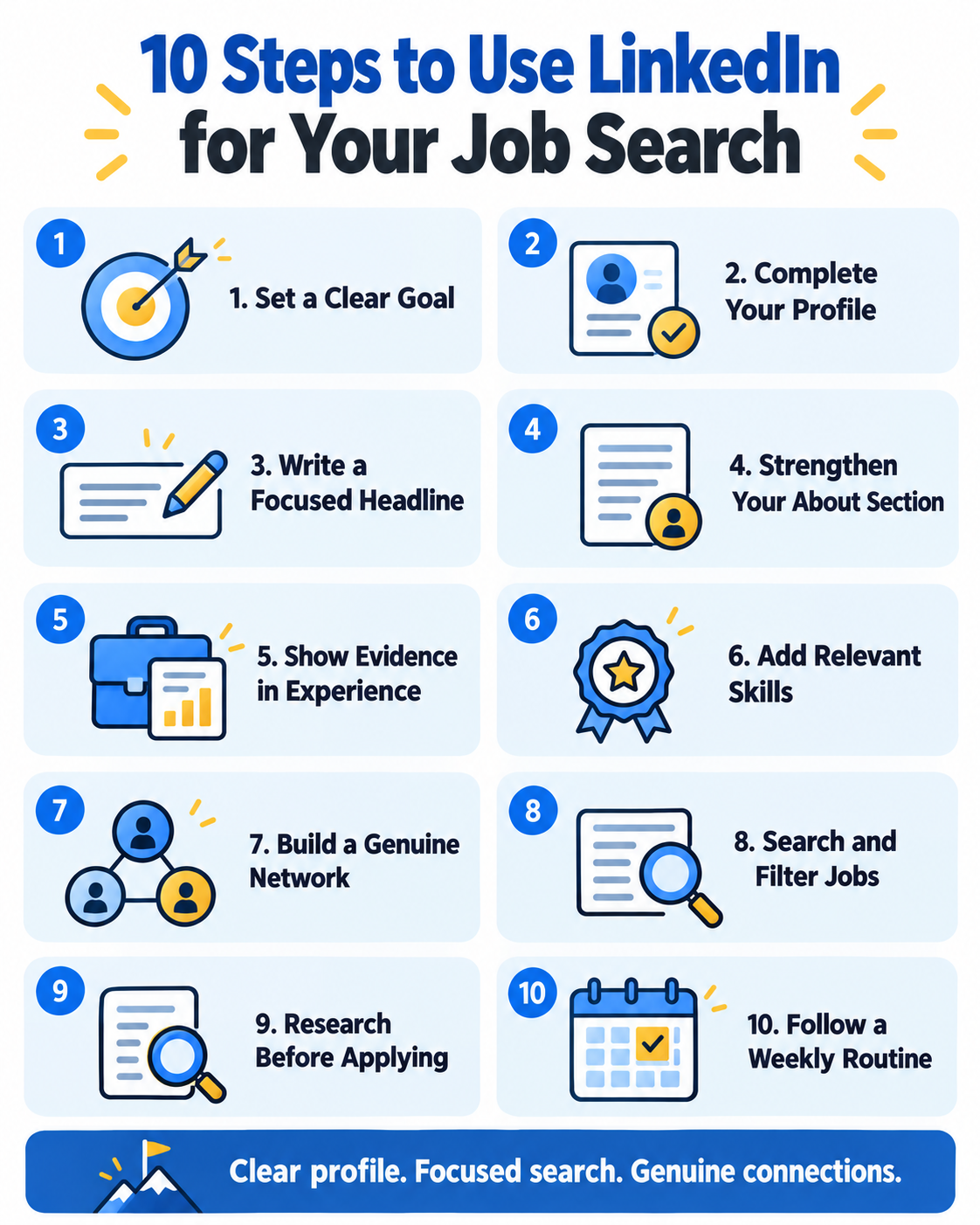
How to Use LinkedIn: 10 Practical Steps
1. Decide what you want LinkedIn to help you achieve
Before editing your profile, choose a primary objective. You might want to find an entry-level role, change careers, attract recruiters for a specific profession, research employers or build connections in a new industry.
A clear target helps you decide which information deserves attention. “I want a data analyst role in retail or financial services” gives you more direction than “I am open to anything.” You can still consider other opportunities without presenting an unfocused profile.
2. Complete the essential profile sections
LinkedIn’s official profile guidance lists sections such as your headline, About summary, experience, education, location, contact information, skills, certifications, projects and volunteer experience. You do not need to fill every optional field. Complete the sections that help someone understand your relevant background.
- Use your real name and accurate professional information.
- Add a clear, recent photo if you are comfortable doing so.
- Choose a location and industry that reasonably reflect your current situation or target.
- Add relevant employment, education, projects, certifications and volunteer work.
- Check dates, spelling and consistency with your résumé.
Do not invent positions, dates, credentials or results. A smaller but accurate profile is more credible than an impressive profile that cannot withstand questions.
3. Write a headline that explains your direction
Your headline appears near your name and can help people quickly understand your professional focus. Instead of using only “Looking for opportunities,” combine a recognizable role with relevant strengths or specialization.
Simple formula: Target role or professional identity | Relevant skills or specialization | Useful context
Example: Entry-Level Data Analyst | Excel, SQL and Power BI | Turning Data Into Clear Business Insights
Example: Customer Success Specialist | SaaS Onboarding, Client Support and Account Retention
Use terms that genuinely describe you. For more structures by experience level, see these LinkedIn headline examples for job seekers.
4. Use the About section to connect the pieces
The About section should not repeat your résumé word for word. Use it to explain your professional focus, relevant strengths, selected evidence and next direction in a short, readable narrative.
A practical structure is:
- State your current professional identity or target.
- Name two or three relevant strengths.
- Support them with a project, responsibility or result.
- Clarify the type of work or opportunity you want next.
Avoid unsupported claims such as “world-class leader” or “top-performing expert.” Specific information is more persuasive. Our LinkedIn About section examples provide adaptable starting points.
5. Turn experience into evidence
For each relevant position, project or volunteer role, explain what you worked on, how you contributed and what changed. Not every bullet needs a number, and you should never invent metrics.
Weak: Responsible for weekly reports.
Stronger: Consolidated weekly reporting from four teams into one Excel dashboard, helping managers review deadlines and outstanding risks in a consistent format.
The stronger version shows the task, tool, context and practical value. If you have limited paid experience, use relevant coursework, personal projects, internships, volunteering and student leadership honestly.
6. Add relevant skills and keywords naturally
Review a group of suitable job descriptions and note repeated job titles, skills, tools, certifications and industry terms. Add the terms that accurately match your background to appropriate sections of your profile.
Do not paste a long keyword list into your headline or About section. A skill becomes more credible when your experience or projects show how you used it. LinkedIn’s official profile overview notes that a relevant skills list helps other people understand your strengths and may improve your likelihood of appearing in searches.
Use our step-by-step guide to find and use LinkedIn keywords without keyword stuffing.
7. Build a relevant network gradually
Start with people you genuinely know: classmates, former colleagues, instructors, clients, professional-association members and people you met at events. Then expand carefully toward professionals in your field.
When contacting someone you do not know well, give them context. Mention where you found their work, what you have in common or why their perspective is relevant. Do not immediately ask a stranger for a job, referral or lengthy call.
A simple connection note might say: “Hello Maya, I attended your webinar on customer onboarding and found your point about early product adoption useful. I am beginning my career in customer success and would be glad to connect.”
8. Search for jobs with clear criteria
Search by a recognizable job title, then refine the results using the filters currently available to you, such as location, date posted, experience level, company or remote-work options. LinkedIn’s interface and filter labels can change, so focus on the principle: narrow a broad search until the results match your actual level and goals.
Save relevant searches or create job alerts when the option is available. An alert can reduce repetitive searching, but it should not replace reviewing each vacancy carefully. Confirm the responsibilities, required qualifications, location, employer and application destination before applying.
For a complete workflow, read how to use LinkedIn for a job search.
9. Research before you apply or message someone
Use company pages and publicly available employee profiles to understand what the organization does, how relevant teams describe their work and which skills appear repeatedly. This research can help you tailor your application and ask better questions.
Respect privacy and platform rules. Do not scrape private information, impersonate another person or use deceptive methods to obtain contact details. When messaging a recruiter after applying, keep the message short, specific and easy to answer. Our guide explains how to message a recruiter on LinkedIn after applying.
10. Participate without turning LinkedIn into a full-time task
You can build useful visibility by commenting thoughtfully on relevant posts, sharing a lesson from a real project, discussing an industry development or highlighting work you completed. Useful participation adds context or experience; it does not simply repeat “Great post.”
Consistency matters more than volume. One meaningful comment or a carefully prepared post can be more useful than daily generic content.
A Simple Weekly LinkedIn Routine
If you are unsure how to use LinkedIn without spending hours on it, try this focused routine:
- Monday: Review saved searches and identify a small number of well-matched vacancies.
- Tuesday: Tailor and submit applications after checking the employer and job details.
- Wednesday: Improve one profile section or add one relevant project, skill or result.
- Thursday: Reconnect with one person or send one thoughtful, contextual connection request.
- Friday: Comment meaningfully on two relevant posts and update your application tracker.
Adjust the routine to your schedule. The goal is a repeatable process, not a rigid quota.
Common LinkedIn Mistakes to Avoid
- Using an unclear profile direction: Too many unrelated target roles make it difficult to understand where you fit.
- Copying your résumé: LinkedIn should support the same professional story while using the space to add useful context.
- Keyword stuffing: Repeating phrases unnaturally harms readability and credibility.
- Exaggerating experience: False qualifications or invented results can damage trust.
- Sending generic mass messages: Personalize outreach and give the recipient a clear reason for the contact.
- Applying without checking the vacancy: Confirm the role, employer and application destination, especially when a listing sends you away from LinkedIn.
- Expecting instant results: A profile can improve clarity and discoverability, but it cannot guarantee recruiter messages, interviews or job offers.
Frequently Asked Questions
How do you use LinkedIn if you have no experience?
Use education, coursework, projects, volunteering, student organizations, part-time work and transferable skills. Label each experience accurately and explain what you contributed or learned. Do not present academic work as paid professional employment.
Can I use LinkedIn only for job searching?
Yes. You can maintain a clear profile, search for roles, research employers and use alerts without posting frequently. Networking and thoughtful participation may broaden your opportunities, but you do not need to use every feature.
Should my LinkedIn profile match my résumé?
The important facts—employers, job titles, dates and qualifications—should be consistent. The documents do not need identical wording. A résumé is tailored to a particular application, while LinkedIn can provide a broader professional overview.
How often should I update LinkedIn?
Update it when your responsibilities, skills, qualifications, projects or career target materially change. During an active job search, review it periodically for accuracy and alignment instead of rewriting it every few days.
Does LinkedIn guarantee that recruiters will contact me?
No. A complete, relevant profile may help people understand and discover your background, but search visibility and hiring decisions depend on many factors. Treat LinkedIn as one part of a broader job-search strategy.
Start With Clarity, Then Build a Routine
The simplest answer to “How do you use LinkedIn?” is to use it deliberately. Define your target, build an accurate profile, connect your claims to evidence, search with clear criteria and develop professional relationships gradually.
You do not need a perfect profile before taking action. Complete the essential sections first, then improve one part at a time as your experience and goals develop.
For a structured profile-writing system, explore the LinkedIn Profile Optimization Guide for Job Seekers. It includes practical formulas and adaptable examples for your headline, About section, experience, skills and job-search strategy.
Sources and accuracy note
This guide was reviewed against LinkedIn’s official profile overview and profile guidance. LinkedIn may change feature names, availability and interface layouts. Instructions were checked in October 2026; consult LinkedIn Help when a control appears differently in your account.