
If you are using LinkedIn to find a job, your profile needs to do more than list your employment history. It should quickly show recruiters what you do, which skills you offer, and what kind of opportunity you want next. This LinkedIn guide for job seekers brings every important step together in one practical roadmap.
Use the sections below to improve your LinkedIn headline, About section, experience, keywords, recruiter outreach, and overall job-search strategy. Start with the profile checklist, then work through the guides that match your situation.

Start Here: Your LinkedIn Profile Optimization Roadmap
A strong profile is built in the right order. Before rewriting individual sections, decide which roles you want to target and study the language employers use in real job descriptions. Then make every section support the same professional direction.
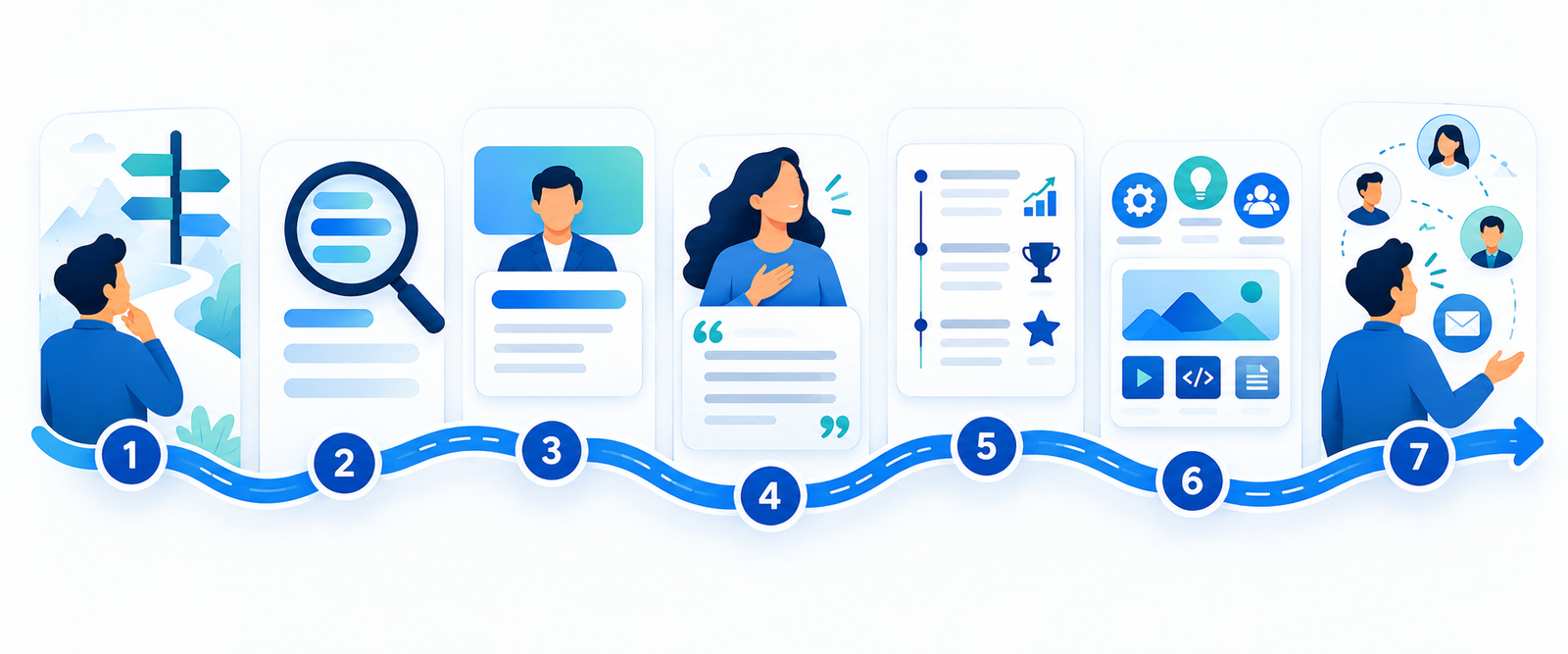
- Choose a clear target role. Define the job titles, industries, and locations you want recruiters to associate with your profile.
- Find relevant LinkedIn keywords. Identify repeated job titles, tools, skills, certifications, and industry terms in suitable vacancies.
- Write a focused headline. Combine your professional identity, specialty, and value instead of using only “Open to Work.”
- Improve your About section. Explain what you do, the problems you help solve, and the evidence behind your strengths.
- Rewrite your experience. Turn basic responsibilities into clear achievement-focused examples.
- Strengthen Skills and Featured sections. Prioritize skills relevant to your target roles and add proof of your work where appropriate.
- Use LinkedIn actively. Search strategically, engage thoughtfully, contact recruiters professionally, and track your applications.
LinkedIn Profile Guides and Examples
1. Complete LinkedIn Profile Checklist
Not sure where to begin? Use the LinkedIn profile checklist for job seekers to review your photo, banner, headline, About section, experience, skills, contact details, visibility settings, and profile activity.
2. LinkedIn Headline Examples for Job Seekers
Your headline appears in search results, connection requests, comments, and recruiter searches. Explore these LinkedIn headline examples for job seekers and learn how to combine a target role, useful keywords, and a clear value proposition.
3. LinkedIn About Section Examples
The About section gives context to your experience and career direction. Read these LinkedIn About section examples for job seekers for adaptable structures, writing prompts, and examples for different professional situations.
4. Find and Use LinkedIn Keywords
Keywords help recruiters understand where your profile fits. Our guide to finding and using LinkedIn keywords in your profile shows how to research terms from job descriptions and place them naturally throughout your profile.
5. LinkedIn Experience Section Examples
A good experience section explains both what you did and why it mattered. Use these LinkedIn experience section examples to turn duties into concise, credible accomplishment statements without exaggerating results.
LinkedIn Advice for Your Career Situation
LinkedIn Profile for a Career Change
Career changers need to connect past experience with a new direction. The LinkedIn profile guide for career changers explains how to highlight transferable skills, choose suitable keywords, address your transition, and position previous achievements for a new field.
LinkedIn for an Active Job Search
A complete profile is only the foundation. Follow this guide on how to use LinkedIn for job hunting to improve visibility, find suitable opportunities, build relevant connections, and create a consistent job-search routine.
How to Message a Recruiter After Applying
A short, relevant message can introduce your application without sounding demanding. See the examples in our guide on how to message a recruiter on LinkedIn after applying, including what to write, when to follow up, and what to avoid.
Track Your Job Applications
As your search grows, organization matters. Learn how to keep track of job applications so you can record contacts, interview stages, deadlines, and follow-up dates without losing opportunities.
How to Choose the Right LinkedIn Keywords
The best LinkedIn keywords are not random popular phrases. They are the specific terms employers repeatedly use for the roles you genuinely want and are qualified to pursue. Review several relevant job descriptions and note recurring:
- Target job titles and close variations
- Technical tools, platforms, and methods
- Industry terminology
- Core professional skills
- Certifications, languages, or regulated qualifications
- Location or work-model terms when relevant
Use the strongest terms naturally in your headline, About section, experience, and Skills section. Avoid keyword stuffing: your profile still needs to sound clear and credible to a human reader.
Common LinkedIn Profile Mistakes to Avoid
- Using a vague headline that does not identify your target role or specialty
- Writing an About section without concrete skills, examples, or direction
- Copying a résumé into LinkedIn without adapting it for online scanning
- Listing responsibilities while omitting outcomes, improvements, or scope
- Targeting several unrelated careers on the same profile
- Adding keywords that you cannot support with real experience
- Sending generic recruiter messages without context
- Waiting for recruiters without applying, networking, or engaging
Want a Step-by-Step LinkedIn Blueprint?
If you want all the guidance in one organized resource, the LinkedIn Blueprint gives you practical formulas and adaptable examples for improving your headline, About section, experience, skills, and job-search strategy.
Explore the LinkedIn Blueprint for job seekers
Frequently Asked Questions
What should I improve first on my LinkedIn profile?
Start by defining your target role and researching relevant keywords. Then update your headline, About section, experience, and Skills section so they communicate one consistent professional direction.
How often should I update my LinkedIn profile?
Review it whenever your target role changes, you gain a new skill or achievement, or the language in relevant job descriptions shifts. During an active job search, a monthly review can help keep the profile accurate and focused.
How many keywords should I use on LinkedIn?
There is no useful fixed number. Focus on a small set of highly relevant job titles, skills, tools, and industry terms. Use them naturally where they accurately describe your background.
Can LinkedIn help me get a job without experience?
LinkedIn can help recent graduates and early-career candidates present education, projects, internships, volunteer work, transferable skills, and career interests. The goal is to show evidence of potential and a clear direction rather than pretending to have experience you do not have.
Should my LinkedIn profile match my résumé?
The core facts should be consistent, including employers, dates, titles, and qualifications. LinkedIn can provide more context, personality, keywords, projects, and supporting media than a concise résumé.