
The most reliable way to find a LinkedIn profile using a name and company is to search the person’s full name, select People, and add the current company, location or role as a filter. You can also use a search engine with a narrow query when the person’s public profile is indexed. Use only public professional information, confirm the identity carefully and respect the person’s privacy and contact preferences.
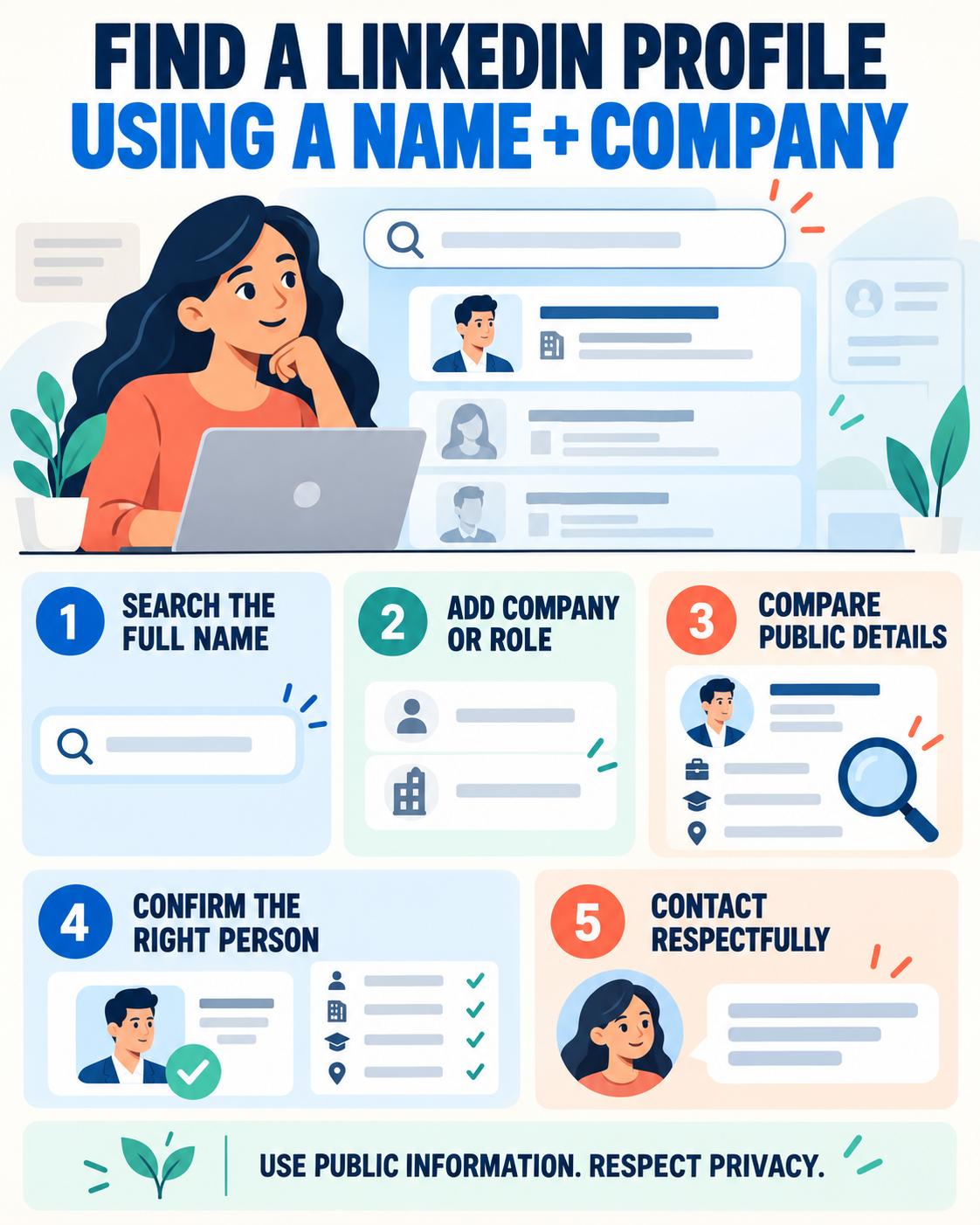
Quick answer: On LinkedIn, search the full name, choose the People filter and refine by Current company, Location, Industry or Keywords. Compare the headline, location, employment and education shown publicly. If LinkedIn search is inconclusive, try a search-engine query such as site:linkedin.com/in “Full Name” “Company Name”. Do not use private email addresses, data brokers, scraping tools or deceptive connection requests.
Why a Name Alone Is Often Not Enough
Many professionals share the same name. People also change employers, shorten their names, use initials or limit what is publicly visible. A responsible search therefore combines several public clues instead of treating the first matching result as proof.
Useful identity signals include:
- current or recent employer;
- job title or professional field;
- city or region;
- school or university;
- industry;
- mutual connections;
- public activity connected to the employer or field.
One matching detail is not enough. Look for two or three consistent details before concluding that a profile belongs to the person you intend to find.
Method 1: Search for the Person on LinkedIn
- Enter the person’s full name in LinkedIn’s search bar.
- Run the search and select the People filter.
- Open All filters when available.
- Add the current company, location, school, industry or other known professional information.
- Review the remaining profiles and compare public details.
LinkedIn’s current Help page says People search can be refined with criteria including degree of connection, locations, current company, past company, school, industry, profile language and keywords. Some filters or capabilities may vary by account and interface.
Use a natural-language query
LinkedIn has also introduced AI-powered people search. A specific query can include the person’s professional context, for example:
- “Samira El Amrani at Acme Logistics in Casablanca”
- “David Chen product manager at Northstar Health”
- “People named Maya Singh who work at Brightline”
LinkedIn advises against quotation marks in natural-language search. If you prefer exact keyword matching and your interface supports it, LinkedIn also references Boolean search as an alternative.
Method 2: Search by Company First
If a name produces too many results, find the employer’s official LinkedIn Page and inspect the People or employee-related section that is publicly available. Search the name, title or department within that context.
This approach can help when:
- the person has a common name;
- you know the employer but not the exact job title;
- the profile uses a middle initial or shortened first name;
- LinkedIn’s general results are too broad.
Remember that employee lists can be incomplete or outdated. A person may not have updated their profile, and a company affiliation on a profile is not independently verified in every case.
Method 3: Use a Search Engine for Public Profiles
A public LinkedIn profile may appear on Google, Bing or another search engine when the member’s visibility settings allow it and the page has been indexed. Try one focused query:
site:linkedin.com/in "Full Name" "Company Name"site:linkedin.com/in "Full Name" "Job Title"site:linkedin.com/in "Full Name" "City"
Replace the placeholders with the real public details you know. If the name is unusual, begin with the name and company. If it is common, add the job function or location.
Search results can be stale. LinkedIn explains that search tools may take weeks or months to reflect public-profile changes, and LinkedIn does not control the external search engine’s refresh schedule. Open the result and confirm current information rather than relying only on the snippet.
How to Confirm You Found the Right Person
Use a simple verification checklist before connecting or referencing the profile:
- Name: Does the full name or a plausible professional variation match?
- Employer: Is the company current, recent or otherwise connected to the person?
- Role: Does the function match what you know?
- Location: Is the region consistent, allowing for remote work or relocation?
- Career history: Do prior employers, schools or industries support the match?
- Connections or activity: Are there public professional links to the relevant organization or field?
If important details conflict, treat the result as uncertain. Do not identify or contact the person based only on a profile photo, especially when names are common.
Ethical Boundaries: What Not to Do
Do not search by private email address
LinkedIn states that members cannot directly search an email address on LinkedIn to discover a profile. Do not obtain or test private email addresses for the purpose of identifying someone.
Do not use scraping or automated extraction
A normal manual search for a legitimate professional purpose is different from collecting profiles at scale. Avoid tools that scrape profile data, bypass access limits or build databases without meaningful consent.
Do not use deceptive accounts or messages
Do not pretend to be a recruiter, colleague or customer. If you contact the person, identify yourself honestly and explain the professional reason in a concise way.
Do not infer sensitive personal information
Keep the search focused on public professional context. Do not investigate or infer sensitive details such as health, religion, political views, family circumstances or a home address.
Do not treat a profile as a background check
A public profile is self-presented professional information. It may be incomplete, outdated or mistaken. Do not use this guide as a substitute for a lawful, consent-based employment screening process.
How to Contact Someone Respectfully
Finding a profile does not create an obligation for the person to respond. Choose the least intrusive channel appropriate to the situation. If you send a connection request, personalize it only when you have a clear professional reason.
Example connection note: “Hi Leila, I’m researching careers in supply-chain analytics and found your profile while learning about Acme Logistics. Your transition from operations to analytics stood out. I’d be glad to connect and follow your work.”
Example information-interview request: “Hello Daniel, I’m a final-year student exploring customer success roles in health technology. I found your profile through your company’s public page. If you are open to it, I would appreciate 15 minutes to ask about the skills that helped you enter the field. I understand if your schedule does not allow it.”
Avoid asking a stranger for a referral in the first message. Ask a focused question, respect a non-response and do not send repeated reminders.
Privacy Settings Explain Missing Profiles
A person may not appear in external search results because they disabled or limited public-profile visibility. LinkedIn says members can control which profile sections are eligible to appear to people who are not signed in and on search tools. Search-engine indexes can also lag behind recent changes.
Within LinkedIn, visibility can depend on account type, search type, settings and commercial-use limits. A missing result does not justify trying to bypass privacy controls.
Troubleshooting When You Cannot Find the Profile
- Try a name variation: add or remove a middle initial, accent or shortened first name.
- Use past company: the person may not have updated their current position.
- Add a role or industry: this is useful when the employer has many employees.
- Search by school and location: use only professional details you legitimately know.
- Check the company spelling: a parent company and a brand may use different names.
- Stop when the evidence is weak: uncertainty is better than contacting the wrong person.
Legitimate Reasons to Search by Name and Company
Appropriate uses include reconnecting with a professional contact, preparing for a scheduled interview, finding a publicly listed recruiter for a specific opening, researching career paths or identifying a speaker or author. Keep the search proportionate to the purpose.
When preparing for an interview, use a person’s public professional background to understand their function—not to introduce personal facts that are unrelated to the meeting.
Frequently Asked Questions
Can I find a LinkedIn profile with only a name?
Sometimes, but common names produce ambiguous results. Add a company, role, location, school or industry and confirm multiple matching details.
Can I search LinkedIn by email address?
LinkedIn’s current visibility guidance says members cannot directly search an email address on LinkedIn to discover a profile. Use the person’s name and public professional context instead.
Why doesn’t a LinkedIn profile appear on Google?
The member may have limited public visibility, or the search engine may not have indexed the profile or refreshed a recent change. Search tools control their own update timing.
Is it appropriate to contact a recruiter I find?
Yes, when you have a relevant role or question and contact them professionally. Mention the specific vacancy or context, keep the message concise and do not demand a response.
How can I avoid contacting the wrong person?
Compare the employer, title, location, history and other public professional details. If two or more key facts conflict, do not assume the identity is correct.
Search Precisely and Respect the Boundary
The smart method is simple: use a name plus company, narrow with public professional filters and confirm several details. The ethical part matters just as much: do not use private emails, automated scraping, deception or invasive personal research.
If you are contacting someone during a job search, continue with our guide on how to message a recruiter on LinkedIn after applying and our recruiter outreach guide.